
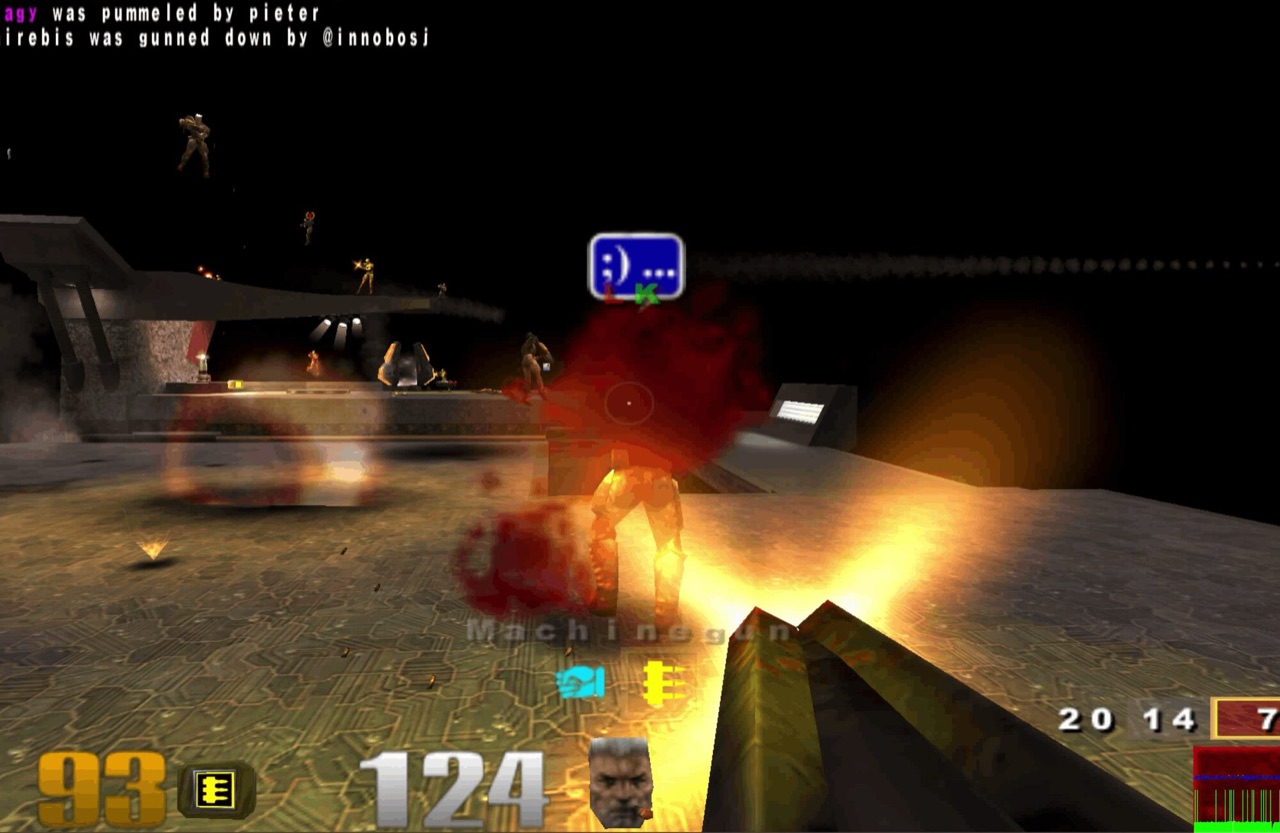
How the Q3JS Quake 3 browser project works
Quake III is item eighteen in the source reply and points to q3.pieter.com. Pieter Levels describes that host as a Q3JS server and frontend, then points to q3js.com for the broader project. The source host timed out during the October 11 review, so this guide preserves it as evidence while the play button uses Q3JS.
Q3JS advertises browser multiplayer with a mobile path. Its hosted page says it uses official demo data; its repository says self-hosted builds exclude proprietary data and require legally obtained PK3 files. It is an unofficial, non-commercial project. Server availability, maps, accounts, and bindings remain project-specific.
This project can be identified from the Radiant Optimizer source list, but we have not confirmed a complete playable session or every feature.
Choose the hosted demo or self-hosted Q3JS setup
- Open Q3JS from this guide, choose a server, and let its WebAssembly and demo-data assets finish loading.
- On mobile, use the project’s current input guidance and expect device-specific limits.
- If multiplayer fails, confirm the launcher and rendering first, then check server or network status. Do not bypass source-host errors.
The external destination is operated separately from Radiant Optimizer Games. A source link can change after our review date, so compare the hostname and current page identity with the notes above before interacting with it.
Quake III files and browser requirements
- Game files
- The hosted Q3JS site says it uses officially released demo data. Building or self-hosting the repository requires legally obtained Quake III PK3 files.
- Browser & device
- Q3JS documents desktop and mobile paths, but this directory has not tested every browser, device, touch layout, or live server.
- Account
- Information unavailable unless the external project explicitly says otherwise. This directory requires no account.
Quake III controls and input evidence
Project-specific keyboard, mouse, or mobile touch controls. Exact bindings are Information unavailable here.
Quake III browser and device compatibility
Q3JS documents desktop and mobile paths, but this directory has not tested every browser, device, touch layout, or live server.
In general, WebAssembly and WebGL projects work best in a current desktop browser with hardware acceleration and enough free memory. That general baseline is not evidence that this specific entry works on Chrome, Edge, Firefox, Safari, a Chromebook, or a phone. Where the project does not document support, this guide says “Information unavailable.”
If a page loads but the game does not, use the troubleshooting checklist to separate a changed host, blocked graphics, missing files, storage limits, and a genuinely broken build.
Quake III current limitations
- The source-listed q3.pieter.com endpoint timed out during the October 11 review, so the play button uses the documented Q3JS project site instead.
- Mobile input can vary by browser, device, and permission state.
- The project is unofficial and non-commercial, not an id Software service.
- Server availability and input latency are separate from whether the page itself loads.
These notes describe the project interface evidence reviewed on October 11, 2026. They are not a permanent uptime promise, malware scan, licensing opinion, or full gameplay review.