
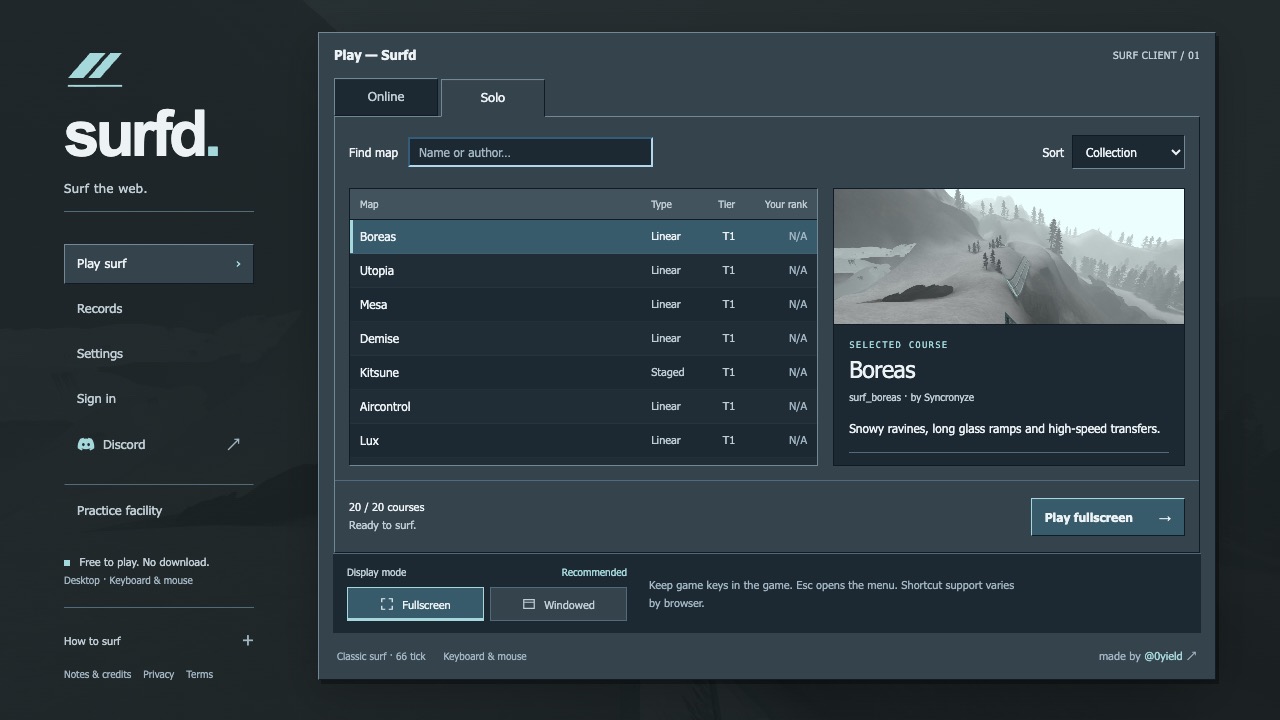
What this entry actually is.
CS Surf is entry nine in the Radiant Optimizer reply and points to surfd.net. The project should be understood as a surf movement experience: angled ramps, momentum, and route practice are the core idea. It should not be described as the complete Counter-Strike game simply because the surf style grew out of that community.
This page keeps the scope narrow. The link and project identity are community-listed; exact maps, timers, online features, controls, and device support remain project-dependent. No claim is made that Valve publishes or endorses the browser destination. If the project documents its own bindings, server behavior, or storage use, those instructions take priority over generic Counter-Strike advice.
This project can be identified from the Radiant Optimizer source list, but we have not confirmed a complete playable session or every feature.
Check first. Load second.
- Use a desktop browser, click the game surface to give it keyboard and pointer focus, and read the destination’s current controls.
- If movement feels delayed, close heavy tabs, confirm hardware acceleration, and avoid power-saving modes before changing in-game settings.
- Do not install a launcher or browser extension; the indexed experience is a web project on an external site.
The external destination is operated separately from Radiant Optimizer Games. A source link can change after our review date, so compare the hostname and current page identity with the notes above before interacting with it.
What you may need.
- Game files
- A modern desktop browser and keyboard/mouse input are the conservative baseline. Exact hardware requirements are unavailable.
- Browser & device
- Desktop browser project. Phone, touch, Safari, Firefox, and controller support are not confirmed here.
- Account
- Information unavailable unless the external project explicitly says otherwise. This directory requires no account.
Controls documented for this project.
Project-specific surf movement. Exact bindings are Information unavailable until confirmed on the current destination.
Browser support is project-specific.
Desktop browser project. Phone, touch, Safari, Firefox, and controller support are not confirmed here.
In general, WebAssembly and WebGL projects work best in a current desktop browser with hardware acceleration and enough free memory. That general baseline is not evidence that this specific entry works on Chrome, Edge, Firefox, Safari, a Chromebook, or a phone. Where the project does not document support, this guide says “Information unavailable.”
If a page loads but the game does not, use the troubleshooting checklist to separate a changed host, blocked graphics, missing files, storage limits, and a genuinely broken build.
Limits to know before you click.
- This is a surf-focused project, not a complete Counter-Strike match client.
- Browser focus, pointer lock, frame rate, and input timing can affect movement games.
- The source-list name does not establish affiliation with Valve.
These notes describe the project interface evidence reviewed on October 10, 2026. They are not a permanent uptime promise, malware scan, licensing opinion, or full gameplay review.