
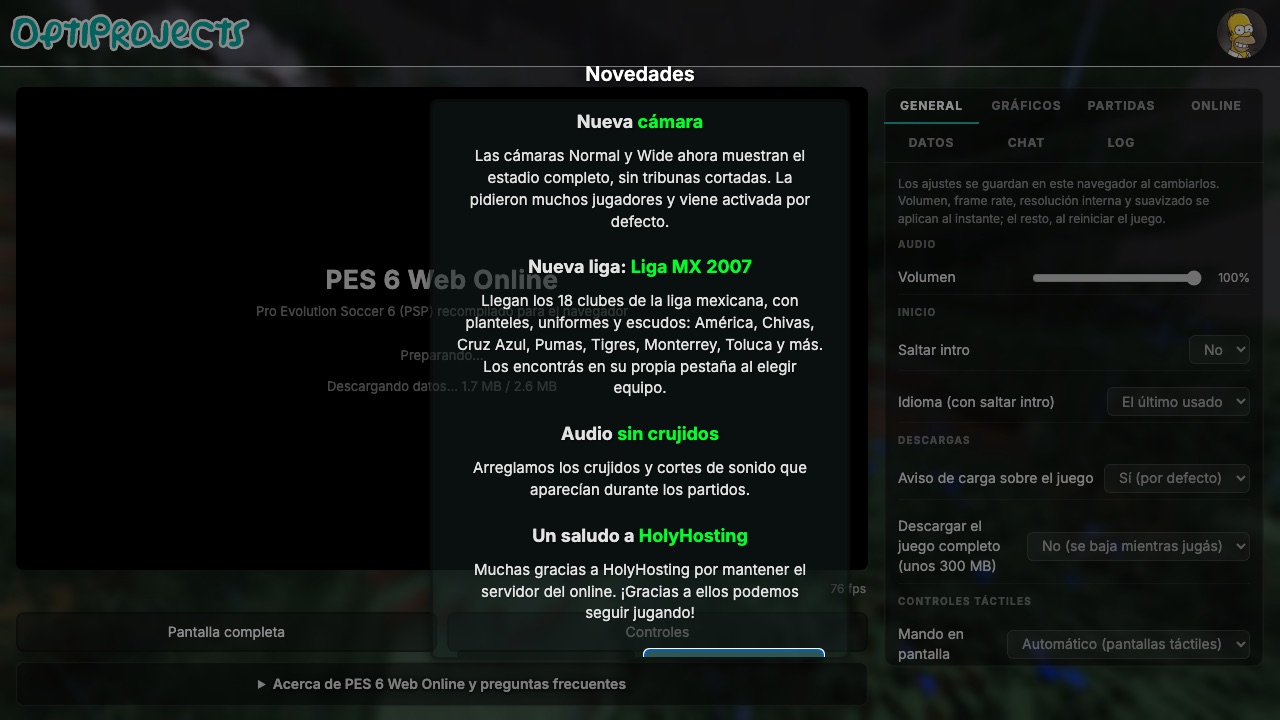
What this entry actually is.
PES 6 is entry twelve in the @RadiantOpti reply and points to a project on optijuegos.net. The destination has been described as a WebGL 2 browser port with several input options. Those statements belong to the project; this directory has not verified a full match, every device, or equivalence with the original PlayStation 2 and PC releases.
The Community Listed status confirms the entry’s place in the source thread and a browser-oriented destination. It does not establish official Konami affiliation, complete licensed rosters, multiplayer reliability, save persistence, or current server availability. Visitors should review the project page and treat any large asset load or account request as project-specific rather than part of this directory.
This project can be identified from the Radiant Optimizer source list, but we have not confirmed a complete playable session or every feature.
Check first. Load second.
- Use a current WebGL 2-capable browser and check the project page for its present input and loading instructions.
- Connect a controller before opening the game if the project recommends one; browser permission and mapping can depend on connection timing.
- If touch or keyboard input is unavailable, do not assume the original game bindings apply. Use only the controls documented by the browser project.
The external destination is operated separately from Radiant Optimizer Games. A source link can change after our review date, so compare the hostname and current page identity with the notes above before interacting with it.
What you may need.
- Game files
- Information unavailable. The destination has been described as a WebGL 2 browser project; current file and account requirements must be checked there.
- Browser & device
- The project has described keyboard, gamepad, and touch input, but this directory has not independently tested each mode or browser.
- Account
- Information unavailable unless the external project explicitly says otherwise. This directory requires no account.
Controls documented for this project.
Project-specific keyboard, gamepad, or touch controls. Exact bindings are Information unavailable here.
Browser support is project-specific.
The project has described keyboard, gamepad, and touch input, but this directory has not independently tested each mode or browser.
In general, WebAssembly and WebGL projects work best in a current desktop browser with hardware acceleration and enough free memory. That general baseline is not evidence that this specific entry works on Chrome, Edge, Firefox, Safari, a Chromebook, or a phone. Where the project does not document support, this guide says “Information unavailable.”
If a page loads but the game does not, use the troubleshooting checklist to separate a changed host, blocked graphics, missing files, storage limits, and a genuinely broken build.
Limits to know before you click.
- The source link is a third-party project, not an official Konami browser release.
- Input and performance can differ across keyboard, controller, and phone browsers.
- Team, roster, mode, and online-play coverage are not confirmed by this directory.
These notes describe the project interface evidence reviewed on October 11, 2026. They are not a permanent uptime promise, malware scan, licensing opinion, or full gameplay review.